9 PROCESSES · 4 LANGUAGES · 36 VIDEOS

See Every Feature
in Action

Step-by-step video walkthroughs showing the complete anonymization workflow — from text and file processing to batch operations and deanonymization.

Read the Docs
36
Video Walkthroughs
9
Processes Covered
4
Languages
5
Categories

Each video demonstrates a complete anonymization workflow from file drop to export — no narration, no fluff. Every process is shown in four languages (English, German, Spanish, French) with two anonymization methods per category. Use Replace to generate structured placeholders for audit trails, or Encrypt to produce AES-256-GCM ciphertext you can reverse later. All processing happens locally — nothing is uploaded to a server. Browse by category below, or visit individual category pages for the full video playlist.
Text anonymization demo preview
Text Anonymization
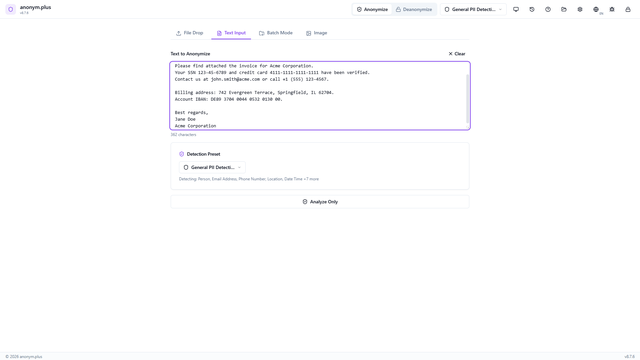
Paste text directly, detect PII entities, and anonymize with Replace or Encrypt operators.
8 videos 2 methods 4 languages
File anonymization demo preview
File Anonymization
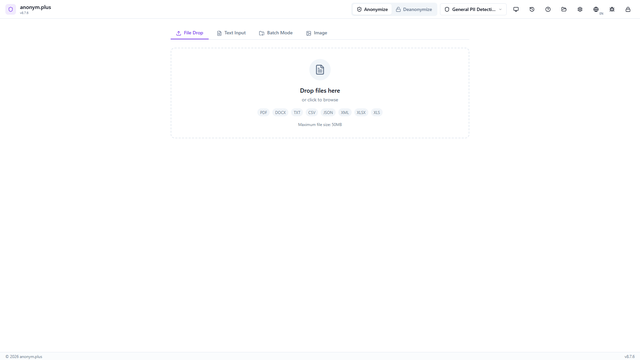
Drop PDF, DOCX, XLSX, CSV, JSON, XML, or TXT files to anonymize entire documents while preserving structure.
8 videos 2 methods 4 languages
Image anonymization demo preview
Image Anonymization
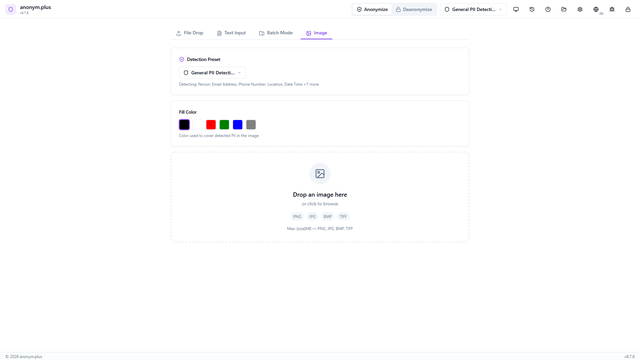
Drop images for OCR-based PII detection and automatic redaction of sensitive text in photos and scans.
4 videos 1 method 4 languages
Batch processing demo preview
Batch Processing
Process multiple documents at once with parallel analysis and anonymization. Available in Replace and Encrypt modes.
8 videos 2 methods 4 languages
Deanonymization demo preview
Deanonymization
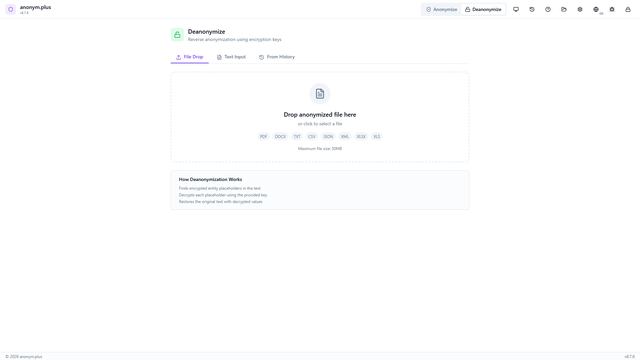
Reverse encrypted anonymization to restore original PII values. Works from processing history or by dropping anonymized files.
8 videos 2 methods 4 languages

How to use these demos

Each video shows a complete workflow from dropping a file to exporting the anonymized output. Videos are available in English, German, Spanish, and French. Two anonymization methods are demonstrated per category — Replace generates structured placeholder tags for audit trails, while Encrypt produces AES-256-GCM ciphertext that can be fully reversed later using the same key.